
How Note Rush Transformed My Studio
The Note Rush app revolutionized my use of flashcards to help new and transfer students become confident note readers—and it’s so much fun!

Before we dive in, a quick note: I am not being compensated in any form by the creators for this review. I bought the app with my own studio budget, and what follows is simply my honest opinion based on my experience as a piano teacher.
A few years ago, I had an 11-year-old transfer student start taking lessons with me. He had taken lessons from another teacher in the area for a few years prior and was excited to keep learning. At his first lesson, he played a couple of recent pieces he’d learned. I asked him to play a new piece of music to gauge his sight-reading ability. “Okay! But… where do I put my hands?” Common question, so I gently remind him to look for the note and finger number. “Okay! But… what note is that?” My friend, that’s middle C. 😅 Come to find out, despite being able to read rhythms and figure out music through directional reading, this student couldn’t name a single note on the staff. Starting from scratch wasn’t necessary—he had a solid grasp of many concepts—but he needed a way to learn to read notes without feeling like he was backtracking. Enter Note Rush.
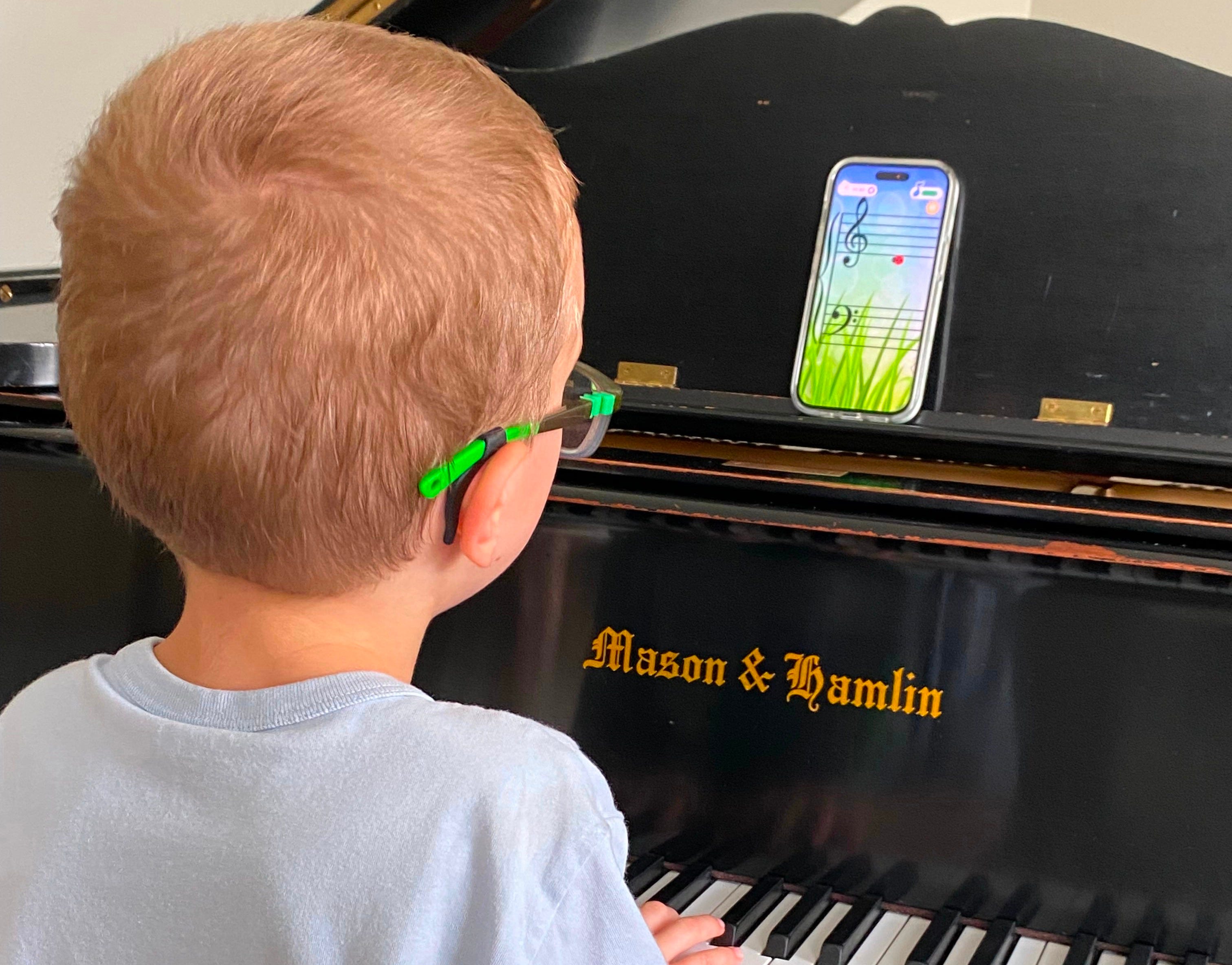
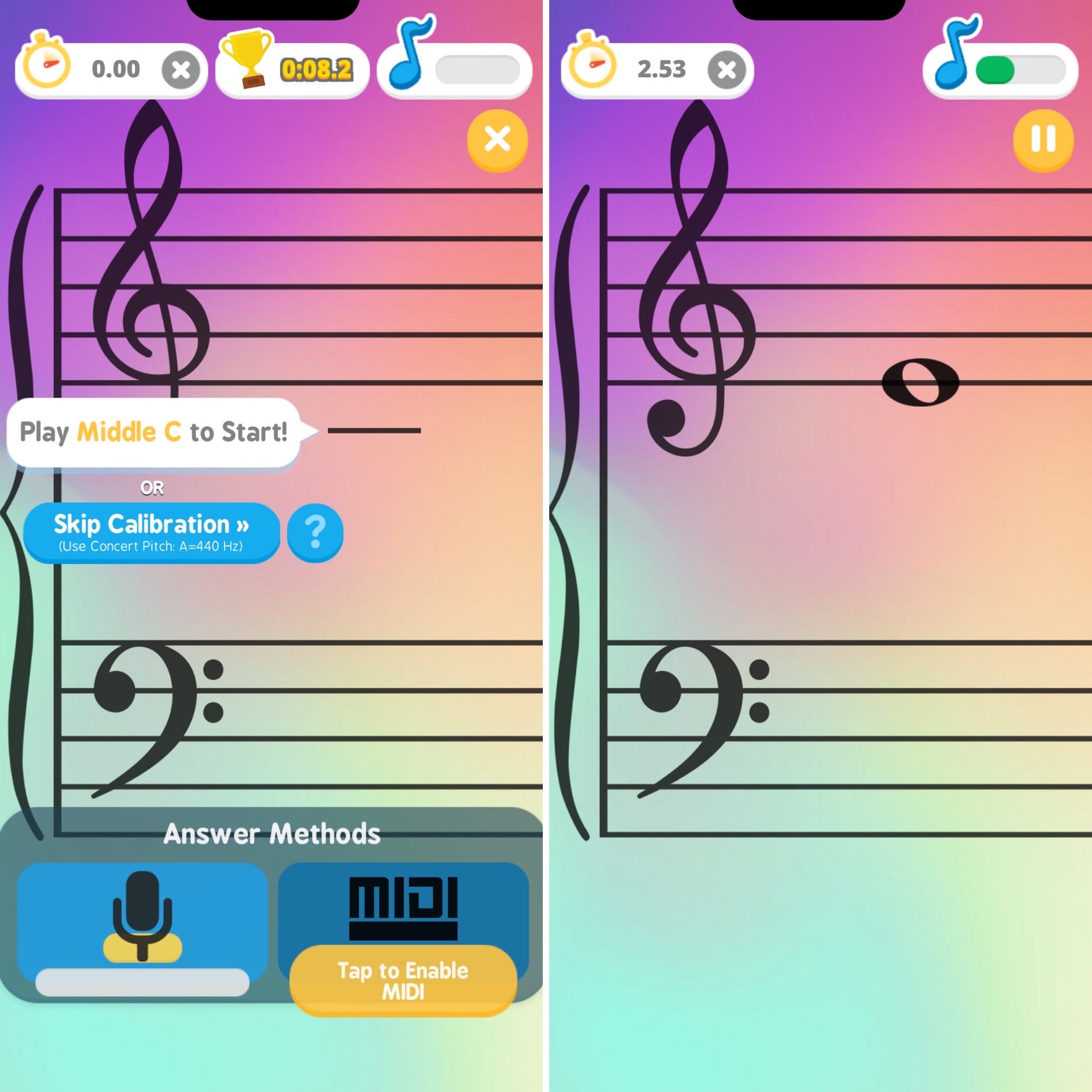
Note Rush is an app that functions like digital flash cards, helping students connect the notes on the staff to their specific keys. Rather than clicking buttons on the screen, you play the note shown on your piano and the app listens (through your device microphone or MIDI) to determine if it was played correctly. Students race against the clock to name each note in the level as fast as they can, earning stars based on their speed. Available for a one-time purchase of $8.99 USD in the Apple App Store and Google Play Store, it’s easy to access on your phone or tablet. You can read more about how Note Rush works, including finding answers to FAQs and more, on their site.
The student who couldn’t find middle C left his lesson having learned to find and play notes from bass F through treble G the first day, thanks to a quick explanation of landmark notes and a few levels of Note Rush. By his third lesson, he was confidently reading all of the notes on the grand staff! His mother told me how excited they were that he could now actually read the sheet music he was playing.
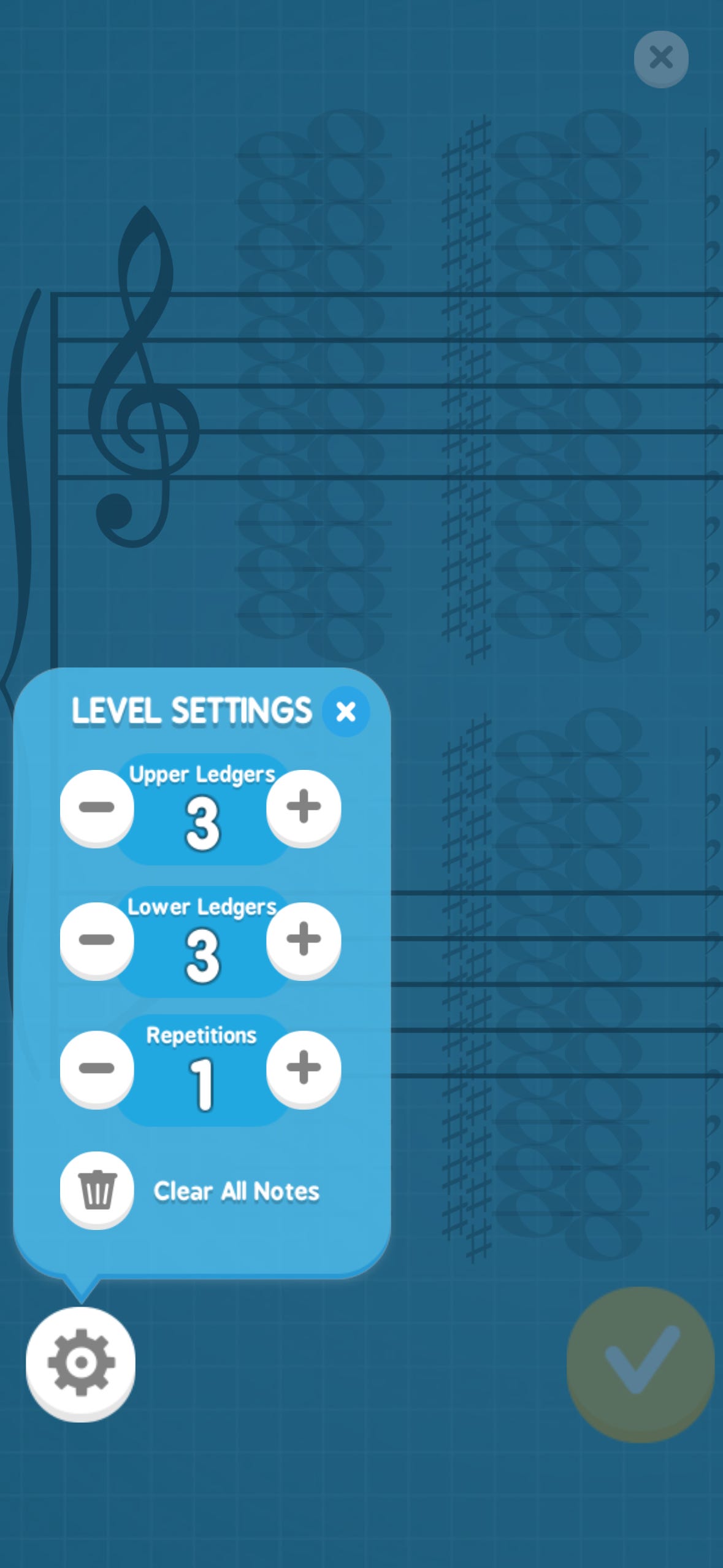
One of my favorite features about Note Rush is that you can use their pre-set levels or make your own custom levels, selecting the exact notes you’d like to drill. I use the preset levels for my more advanced students (such as the Grand Challenge that reviews everything from C2 to C6) and I create my own levels based on the notes they’ve been learning. More information on how I create my own levels below!
I asked a few people what they like about Note Rush, and they responded the following:
A private-lesson student loves the different themes that you can choose from, including limited-edition themes for holidays and seasons.
A group-lesson student loves ending the class playing Note Rush and seeing who can beat the high score.
A piano parent loves that I can share the custom levels I’ve created (via text or QR code) so that her children can keep practicing the same levels at home on their Note Rush app during the week.
I recommended Note Rush during my local piano teachers group meeting earlier this year, and several have told me afterwards that they started using it and their students LOVE it! My friend Erin even mentioned it to me (coincidentally, as I was halfway through writing this article!) that it’s a hit in her studio! She loves how it’s helped her students become quicker at note naming, and that it works for other instruments (violin, flute, guitar, brass, etc.) and voice to help with learning the pitches.
Note Rush has truly become an essential tool in my studio and is so versatile in how it can be used for students of all levels—especially for beginners and intermediate students. It never replaces the teacher, but rather uses technology to turn a monotonous review task into a rewarding game that directly benefits music reading.
I use Note Rush daily in my studio in several different contexts. Below is content exclusive for paid subscribers giving ideas of how and when to implement Note Rush in your lessons and how I create my custom levels for my studio. Thank you for your support!
I begin each of my private lessons reviewing the previous lesson’s notes in my student’s notebook. While I do that, my beginner and intermediate students play a level of Note Rush and I record the level name and their time in their notebook. This gives them something productive to do while I review their notes and helps them switch their mindset from school or sports to piano right at the beginning of our lesson. We then continue onto scales and/or the first piece of music, as the Note Rush level usually takes no more than a minute. I’ve found it so helpful to start lessons this way, so that students know what to expect, and it can help them transition from whatever they were doing previously to the piano-focused mindset.
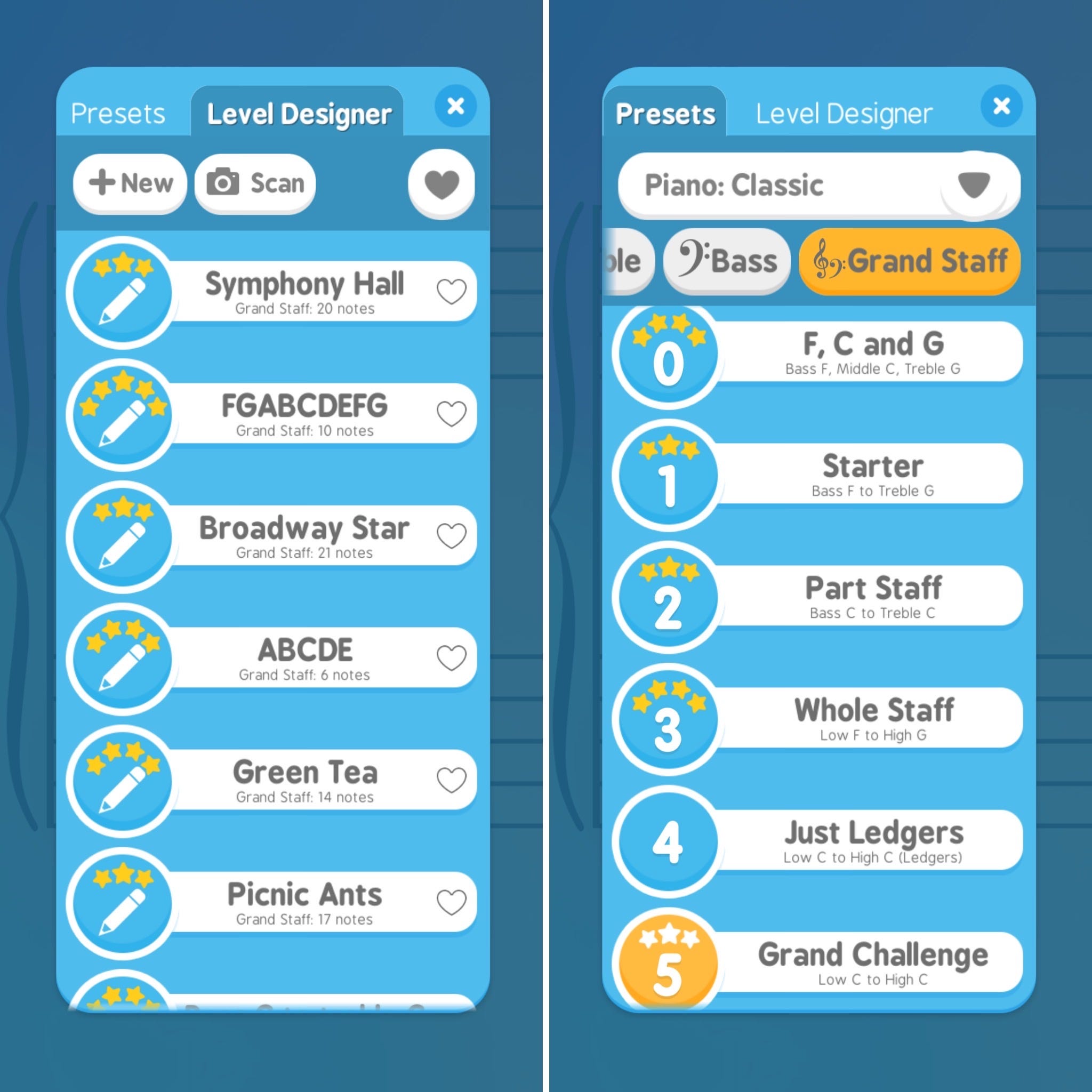
I design my custom levels two different ways based on the method books I teach from. You’re welcome to copy these ideas, or let me know in the comments if you would name them differently!
For Alfred Premier, I name the level after the lesson book piece in which those notes are introduced. For example, the piece “Green Tea” in Lesson Book 1B introduces A4. I created a custom level titled “Green Tea” that reviews all the notes the student has learned: C3 through A4. This makes it easy for me to quickly find the levels, and it helps parents easily tell the levels apart, too.
For WunderKeys, I chose to try a different method and name the levels by their notes—such as ABCDE for everything through the end of Primer 1 and VU Level D. You can also name them using ASPN (such as C3-C5), which I do for levels spanning more notes.
Regardless of how you choose to organize your levels and implement Note Rush in your lessons, I hope that you enjoy using it and that it benefits your students as much as it’s helped mine!
Girl I DIDN'T KNOW YOU CAN MAKE CUSTOM LEVELS!!! Also, I love this article! I'm a happy new subscriber! ❤️